
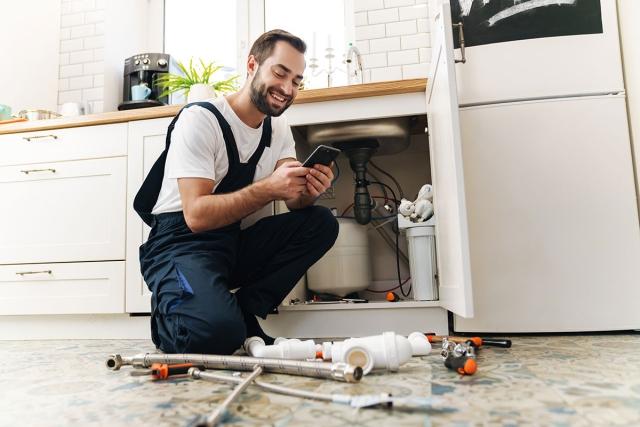
For landlords, maintenance is a broad and ever-present responsibility that takes many forms. From preventative maintenance to handling requests from tenants, landlords need to adapt to the many tasks that fall under the maintenance umbrella.
Small tasks, like simple requests and seasonal upkeep, can snowball into significant repairs. Maintaining the property, handling repairs in a timely manner, and taking care of tasks from tenants are the key to keeping up with maintenance; but with so many different types of tasks, it can feel overwhelming. The best way to mitigate this is to create a standard procedure and use a platform that can adapt to any maintenance task, like Apartments.com Rental Manager.
How to Manage Maintenance Requests on Apartments.com
Apartments.com Rental Manager helps you keep repairs organized from start to finish in one place. Use it to log and track requests, stay on top of priorities, and document updates so you and your residents always know what’s happening next.
Watch the video on how to handle maintenance requests on Apartments.com down below or on YouTube:
How to use the maintenance dashboard to sort, search, and filter
The Maintenance Dashboard provides a centralized home for all of your maintenance tasks, whether created by you or your tenant. Each task is clearly displayed with a subject name that summarizes the maintenance need and key details like which property it is for, who created it, when it was created, and whether it is visible to tenants or not.
Maintenance tasks can pile up fast, whether you manage one rental or multiple properties. Stay organized by using the dedicated sort feature and property search bar on the dashboard. Sort by “Last Activity” or “Date Created” to change the order of tasks and filter by property to narrow down the requests.
How to open tasks and communicate with your tenant
Simply select the “New Issue” button to create a new maintenance task. From there, you can choose a property and unit. Then you can choose whether to notify your tenant or create a private issue that only you can see. Add a title and description as well as photos, videos, or other files, and publish it by clicking the “Create Issue” button.
When a tenant opens a maintenance request, you’ll be notified via email. Go to the Maintenance Dashboard to see the full task. The request includes information like what the issue is, details, files, as well as entrance permissions, so you can start planning how to handle it right away.
How to handle maintenance tasks
You can message tenants directly in a maintenance task so every update stays tied to the work order. When messages are sent, everyone involved in the task is notified. Whether you’re asking a question or providing updates, maintenance request messages create an easy-to-reference record of all communications.
How to create private maintenance tasks and notes
When you need to track internal work, or keep details to yourself, you can create private maintenance tasks and private notes on Apartments.com. Private tasks are maintenance requests that are visible only to you. Use them when the work is strictly internal, and you want it organized alongside the rest of your maintenance, without alerting any tenants.
Within requests, private notes are messages that only you can see. They’re great for things like vendor quotes, parts you need to order, or reminders you don’t want to send tenants, but want to tie to the request.
To create a private issue, simply click the “New Issue” button and select a property. Make sure the “Notify Tenants” button is unselected. For a private note, head into the maintenance request. Scroll down to where you add new messages and toggle on the “Private Note” slider.
How to close tasks
Once you have completed the maintenance request, simply click the “Close Issue” button. If you want to leave a final note, select “Add Note & Close Issue.” All closed tasks are automatically moved to the “Closed” tab, so your open work stays clutter-free.
How to Make a Maintenance Request Workflow
To easily tackle maintenance requests, outline a comprehensive routine that clearly details your process. Creating a routine with an accompanying timeline helps make the repair process smoother and easily documentable.
Receive and log the request
Having one spot where tenants will submit maintenance requests ensures that nothing slips through the cracks. Also, consider how tenants will submit emergency vs. non-emergency requests. You don’t want emergency requests getting buried under non-urgent tasks.
Triage the task and decide repair timelines
While it’s best to handle requests in the order they are received, sometimes more urgent tasks need to be pushed to the front of the queue. Take care of any emergencies first, then do non-emergencies in the order they were submitted.
Communicate updates to the tenant
Maintenance is simpler when both tenant and landlord know what is happening. Confirm that you’ve received the tenant’s request and let them know when you’ll be by to check out the situation.
After your visit, send the tenant a quick summary of what you repaired, both for communication and documentation purposes. If the repair will take longer, like when you need to wait for a part, let the tenant know that you will be back and what you are waiting for.
Close out the request
Close out the request once it’s completed, but consider following up in a couple of days to make sure the problem is completely resolved. This is also a good time to ask for tenant feedback on the maintenance procedure and their satisfaction levels.
Best Practices for Handling Maintenance Requests
Apartments.com gives you the tools to organize maintenance tasks, but it’s up to you to create a system to follow through. Here are some best practices for handling maintenance requests to simplify the process and keep tenants happy.
Take care of maintenance requests in a timely manner
Handling maintenance requests quickly ensures issues don’t snowball into bigger problems. However, it also signals that you’re responsible and that you take both the property and your tenants seriously. Part of this process is being quick and open with communication.
Follow communication standards for maintenance requests
Tenants value being kept in the loop: they want a clear repair timeline and quick updates after each visit, so they know what was done and what’s next. Open communication will help maintain a good landlord-tenant relationship and streamline managing requests.
Create a maintenance tracker
A maintenance tracker helps you stay on top of every repair at your rental: upcoming, in progress, and completed. With everything in one place, you can build a reliable maintenance schedule, plan ahead, and avoid surprise costs. At a minimum, track the dates, details, and expenses for:
- Routine maintenance
- Tenant maintenance requests
- Seasonal and preventative maintenance
- Major repairs
Reviewing your maintenance history helps you spot patterns before they turn into bigger problems. When you’re able to see when a property was last updated, what repairs keep recurring, and which units you visit most often, you can anticipate maintenance and create a schedule.
Tracking request completion times and costs strengthens your planning on two fronts: accuracy and budgeting. Past timelines help you estimate how long similar maintenance will take in the future to gauge your productivity and create a routine. Recorded expenses make it easier to control spending and build a realistic budget for upcoming requests.
Outline maintenance responsibility
Create clear guidelines for who’s responsible for what to make maintenance requests go smoother. The best way to prevent issues is to include a maintenance responsibility clause in your lease. Spell out which repairs are the landlord’s responsibility and which fall to the tenant, then refer back to the lease any time an issue comes up.
This article was originally published on August 30, 2022, by Chanahra Fletcher.
FAQs
How do you calculate maintenance on a rental property?
To plan for maintenance repairs, reserve one percent of your rental property’s purchase price. Once issues arise, track your expenses with Apartments.com to calculate the amount you spend on maintenance.
What maintenance is a tenant responsible for?
Tenants are responsible for the damage they incurred, damage incurred from the misuse of the property, and improper trash disposal.
What are common rental expenses?
Common rental property expenses include home inspection costs, appraisal fees, closing costs, mortgage payments, permitting, landlord insurance, marketing your rental, tenant screening, routine maintenance, emergency maintenance, and property and income taxes.


