Published on
July 13, 20265 Tips to Improve Your Property’s Visibility in Apartments.com Ai
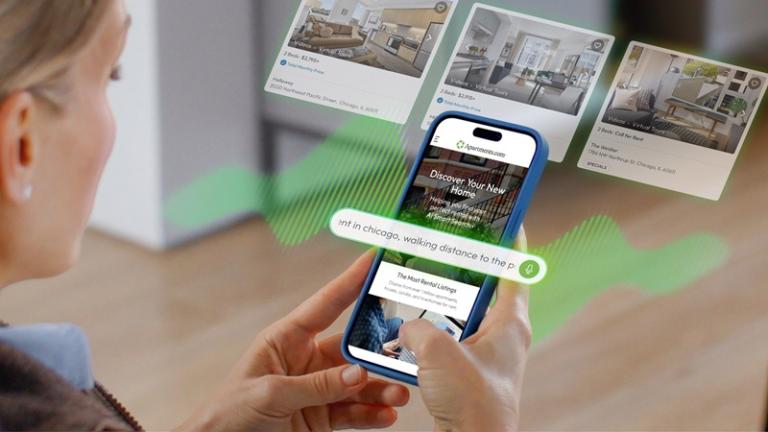
With the launch of Apartments.com Ai, what can you do to make sure your property listings stand out to future residents?
A recent webinar from Apartments.com shared five strategies to help multifamily communities improve their discoverability and lead quality in the AI-powered search experience.
Apartments.com’s Arjun Anandan, director of product, highlighted what multifamily marketers can do to optimize their property listings for AI search.
1. Make your listing as complete as possible
When your listing is detailed, accurate, and comprehensive, Apartments.com Ai can better connect you with renters who might be a good fit.
“Don’t just say ‘great luxury amenities,’” Anandan said. “Spell out what your community actually offers — features like EV charging, rooftop lounges, coworking spaces, package lockers, valet trash, or a dog park.”
Renters also want to know what schools are within the neighborhood and what pet policies apply, he said. To supplement the information you provide on your listing, Apartments.com also offers detailed neighborhood information, such as shopping centers, transit stops, and hospitals. This can help give renters a complete picture of life at your community.
A more complete listing gives Apartments.com Ai more opportunities to match your property with high-intent renters.
2. Highlight unit-specific details
When renters choose a place, they need unit-specific information to help them decide which available unit to apply for.
Anandan recommended spelling out as much unit-level detail as possible, including availability, pricing, amenities, photos, floor plans, and even virtual tours of each unit.
“The more unit-level details you provide, the easier it is for renters to picture themselves in that unit and move closer to signing the lease,” he said.
3. Show total pricing
Cost is one of the most common topics renters ask about in AI-powered search.
Over eight in 10 renters prefer to see the total price, including all fees, and more than half say they’ll stop considering a property if unexpected fees push the total cost above the advertised price.
Displaying your total price gives AI the information it needs to make accurate, apples-to-apples comparisons that include your community.
Transparent pricing can also improve lead quality. When renters know the full monthly and move-in costs upfront, they’re more likely to inquire about properties that genuinely fit their budget.
4. Feature resident reviews on your listing
When renters are narrowing down their search, feedback from current and past residents can often be the deciding factor.
AI-powered tools like Apartments.com Ai can summarize resident feedback to give renters a more complete picture of life at your community.
Encourage your residents to leave reviews on your listing, and respond to reviews to show prospective residents that you take their feedback seriously.
5. Make it easy for renters to submit a lead
Once renters find your property, make it easy for them to take the next step. Enable integrated tour scheduling, and let renters apply directly from your listing with the Apply Now feature.
These options can reduce friction for renters and improve your lead-to-lease conversion. Leads from tour scheduling and Apply Now convert at over three times the rate of standard Apartments.com leads.
Is your property positioned for success in the AI search era?
AI-powered search is changing how renters discover properties like yours, but the basic principles of success remain the same: high-quality listings with complete, accurate information are more likely to attract serious prospects.
Learn more about AI
Explore more resources about optimizing your listing for AI search: