

A listing photo can show the granite countertops and the pool where you’ll spend your summers, but it can’t tell you whether the walk from the parking lot feels like a hike or whether your windows face the community grill. A pinned map does not help much either. And if you’ve ever searched for street view in an app, you’ve probably exited it by accident enough times to question your technical literacy.
With a Matterport 3D Exterior tour on Apartments.com, you can take the guesswork out of the rental equation. Matterport 3D Exterior lets you walk the block digitally, offering a better way to judge curb appeal, scale, and surroundings before you book a flight or a showing.
What Is a Matterport 3D Exterior Tour?
A Matterport 3D Exterior tour is a fully interactive view of the outside of a rental property, created from crystal-clear drone footage. On Apartments.com, you can pan and zoom across buildings and grounds to understand a rental’s scale, layout, surroundings, common areas, and amenities before visiting in person.
The experience is exclusive to Apartments.com, where it appears prominently near the top of participating property pages alongside interior Matterport 3D tours. In seconds, you can move from a big-picture view to the details that matter to your routine.
How It's Different from Photos and Interior Tours
Photos inside a listing serve as a highlight reel of the community. An interior virtual apartment tour shows the rooms inside a unit. A 3D Exterior tour shows the grounds, common areas, amenities, and how the building sits within its surroundings.
The three work best as a team: photos create a first impression, the exterior tour adds context, and the interior tour helps you inspect the space where you would actually live.
Why the View from the Street Tells You More Than the Photos
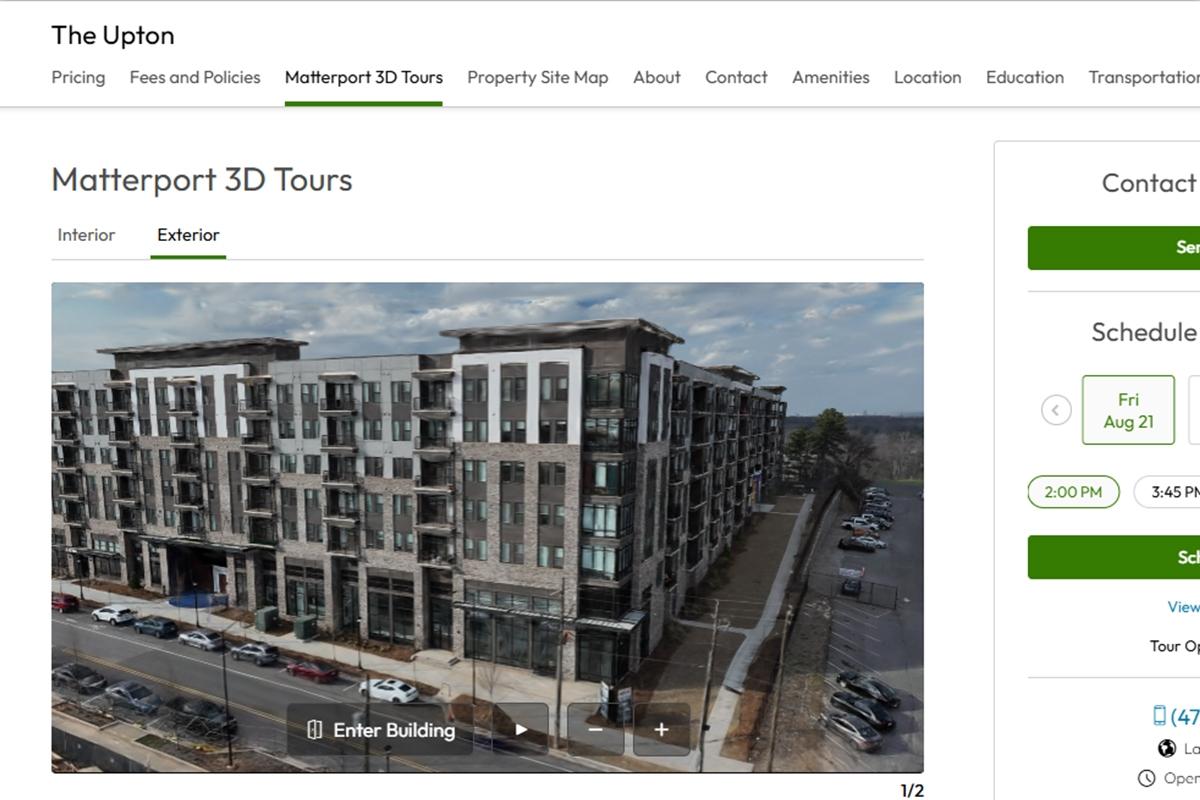
Listing gallery photos are often cropped, taken from the best angles, and rarely explain how all the pieces fit together. An outside view gives you the whole picture.
Location can make or break a rental. A bright kitchen loses some sparkle if your daily path to the entrance is awkward, the luxury amenities you’re willing to pay premium for are farther away than expected, or the building sits differently on the property than the photos suggested.
A 3D exterior tour gives you room to look around on your own time. You can study the grounds, scan the common areas, and get a more complete sense of the property's curb appeal without relying on a carefully framed hero shot.
Scout the Block Before You Book the Flight
Can you tour an apartment online from another state? You can get much closer than a photo gallery and map pin might suggest. Start outside. A 3D exterior tour lets you judge scale, layout, and physical surroundings in seconds, then compare properties without buying a plane ticket for every contender. That makes it especially useful when you need to tackle a long-distance apartment search or are starting a search in a new state. Use the tour to narrow your shortlist, not to make every decision for you: it can show the physical setting, but it cannot measure noise, traffic at every hour, or how a commute will feel on a rainy Monday.
5 Things a 3D Exterior Tour Reveals That Listing Photos Won't
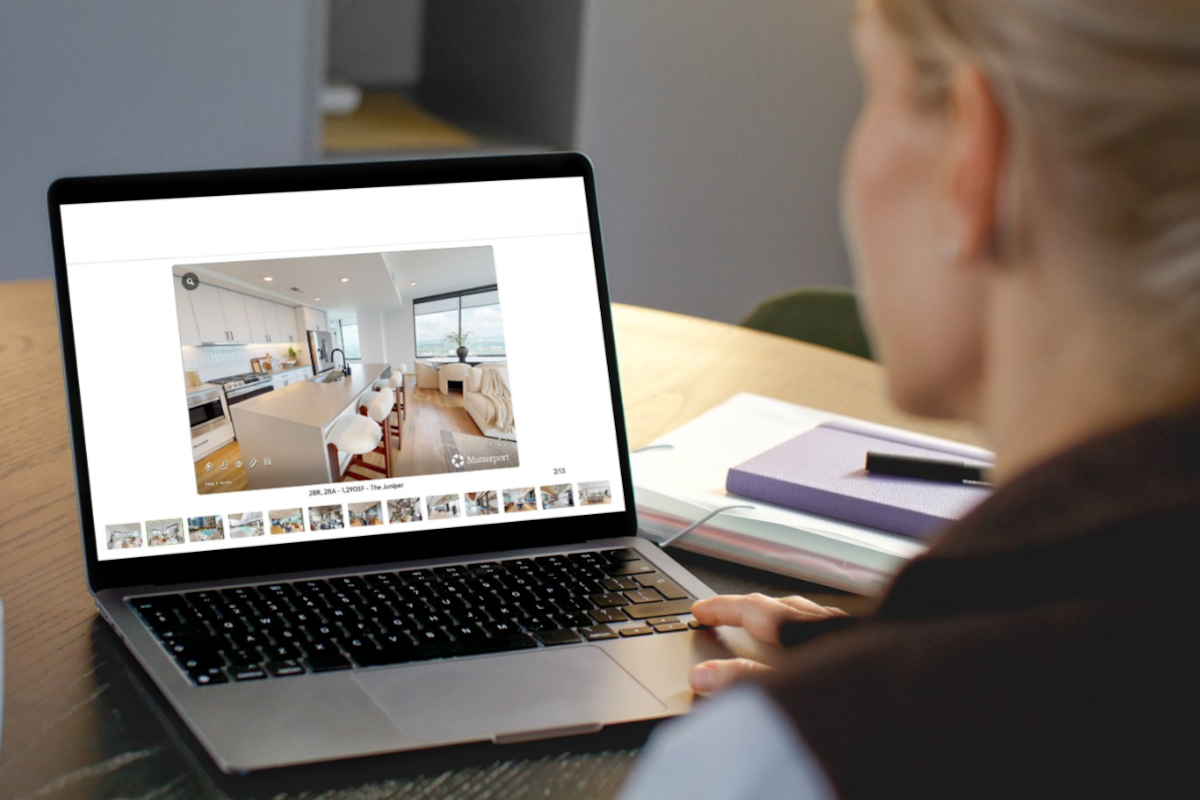
Open the tour with five practical questions in mind, and the outside view becomes a decision tool instead of just a very impressive flyover.
-
Fly Over the Whole Property With Drone Footage
Ever worry about what the parking situation is like before you head out somewhere? If you have, this is for you. The drone-captured view helps you see the building, grounds, common areas, and amenities as one connected place.
-
Pan, Zoom, and Judge the Scale for Yourself
Prefer a property that feels compact or spread out? Pan for the big picture, then zoom in to inspect the details. You can better understand the scale and layout without trusting a wide-angle photo to do the explaining.
-
Trace the Route From Parking to the Entrance
Follow the visible relationship between parking, entrances, and the building to determine how far you’ll carry your groceries. An exterior tour does not calculate walking distance, but it can reveal whether the route looks direct, indirect, or worth asking the leasing office about.
-
Tap the Hotspots to Explore Grounds and Amenities
Explore available tour points around the grounds, common areas, and amenities instead of assuming the pool or courtyard is just outside your door. What appears can vary by property, so note anything you still want to confirm.
-
See Whether a Unit Faces the Pool, the Street, or the Parking Lot
What might be outside your windows? When the tour and listing provide enough context, compare the unit's position with the pool, street, parking lot, and other exterior features. Treat it as a visual clue, then ask the leasing office to confirm the view from the available unit.
From Curb to Kitchen in One Uninterrupted Tour Thanks to Matterport
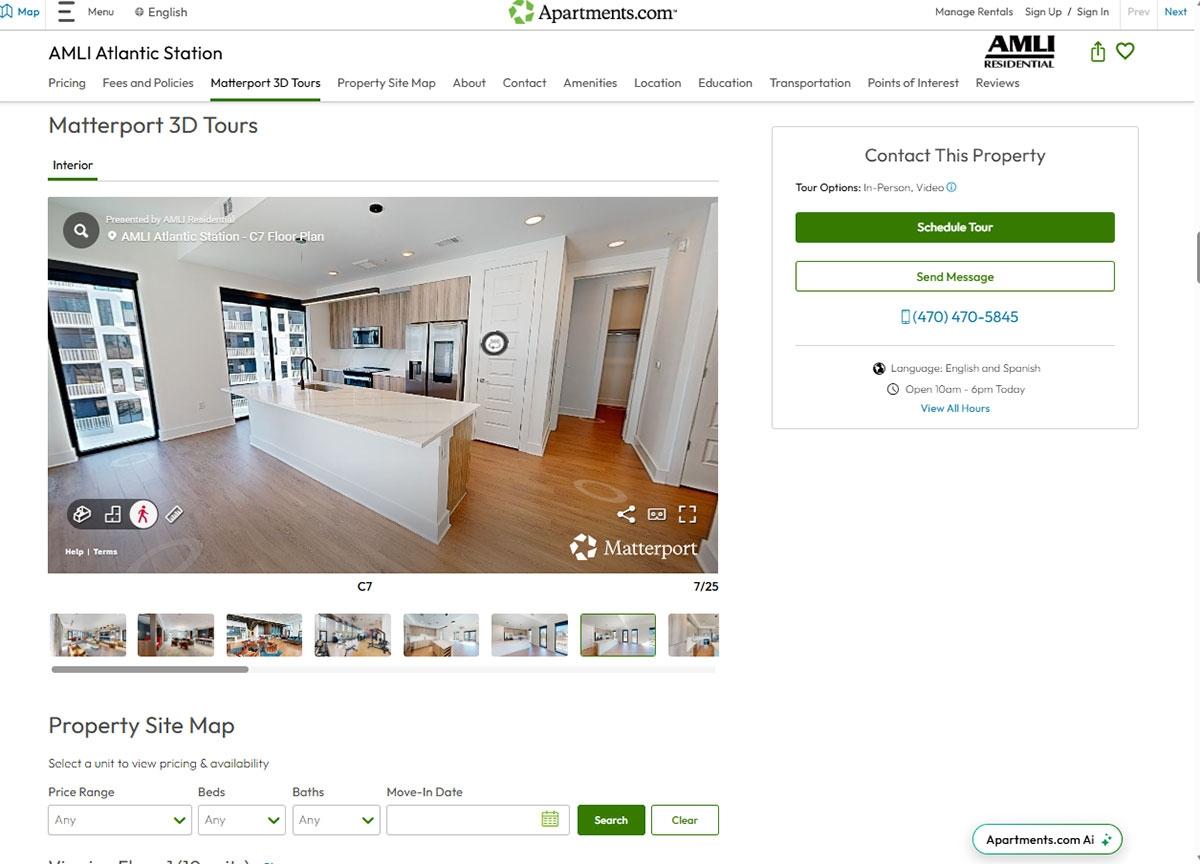
Once the outside passes your vibe check, keep going. Our tools take you directly from the exterior experience into the property's interior Matterport 3D tours. The handoff creates one continuous curb-to-kitchen flow, so you can understand the grounds first and then inspect the rooms
Don't Skip the Interior Power Tools
The exterior tour answers location questions while the interior tools help answer fit questions. Here are some helpful tools that can help determine whether a space is a good fit for your needs:
-
Defurnish hides the furniture so you can see the raw space.
-
Measure helps you check whether your couch, bed, or dining table will fit.
-
Amenity tagging calls out key amenities available in a unit.
-
Dollhouse view gives you an interactive bird's-eye view of the entire unit.
Find Your Next Place, Outside and In on Apartments.com

A great rental goes beyond a floor plan. It is the path to the front door, the shape of the grounds, the amenities you will use, and the view you will come home to. Search Apartments.com for listings with 3D tours, start outside, and take the full curb-to-kitchen tour from wherever you are.
FAQs
Can you tour an apartment online?
Touring an apartment online is easy thanks to Apartments.com’s Matterport tours. A 3D exterior tour lets you explore the building and grounds online, while an interior Matterport tour lets you move through the unit. For the clearest comparison, confirm whether the interior tour shows the actual available unit or a model.
How do you check out a neighborhood before moving?
Use the exterior tour to assess the property’s physical surroundings, layout, entrances, parking, and amenities. Then pair those visual clues with maps, commute research, and local neighborhood information, because a tour cannot measure noise or show traffic at every hour.
Are Matterport 3D Exterior Tours available on every Apartments.com listing?
No, not all Apartments.com listings feature Matterport 3D Exterior Tours. They appear on participating Apartments.com property pages.


